
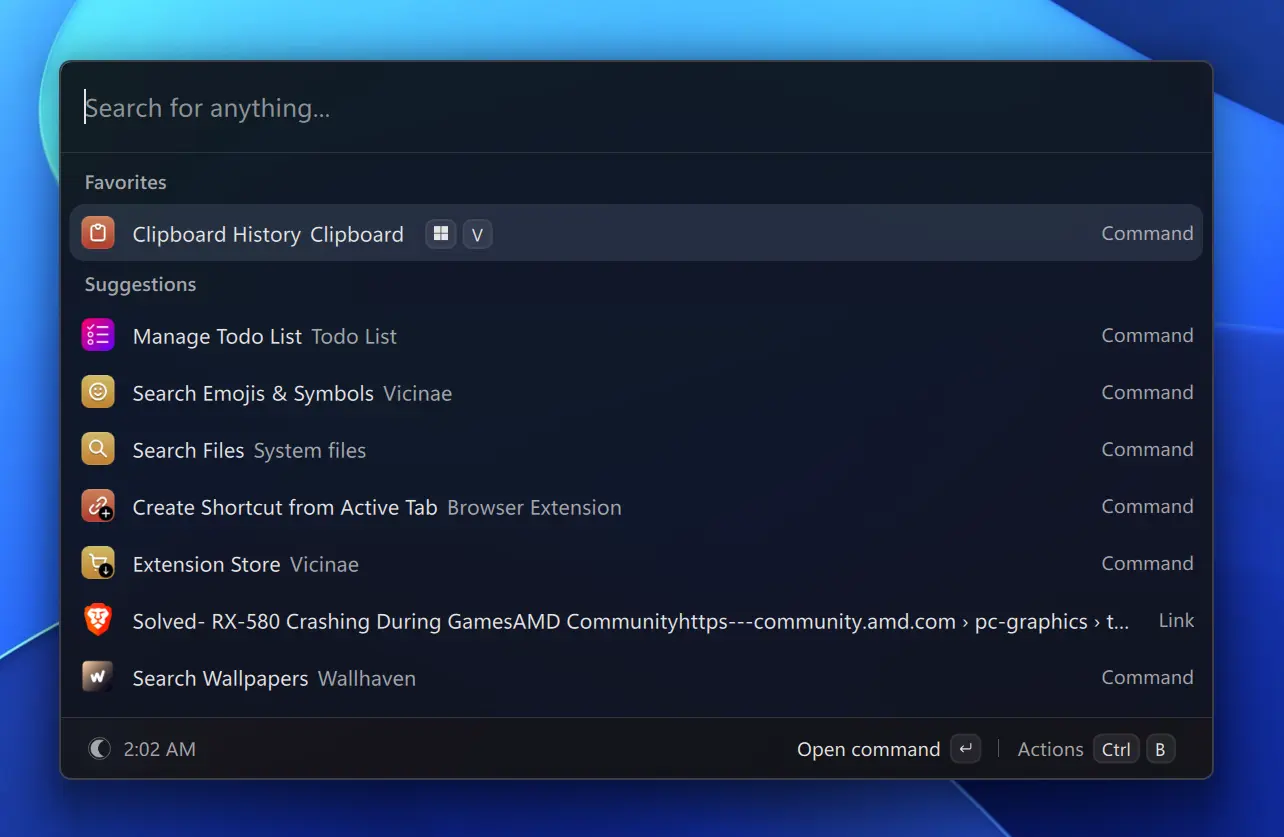
Vicinae provide an opportunity to turn small gaps into useful integrations. Vicinae is an open-source launcher for Linux with an extension API based on TypeScript and React. The result of my work so far is three extensions:
KeePassXC, for searching a local KeePassXC database.
- GNOME Extensions, for managing installed
GNOME Shell extensions.
- GNOME Email, an open pull request for browsing mail through
GNOME Online Accounts.
This is the story of why I contributed them, what I learned in the process, and how other developers can contribute to Vicinae too.
Why contributing to  FOSS matters
Free and open-source software is sometimes described in abstract terms: freedom, transparency, collaboration, or community ownership. Those are important ideas, but contribution becomes more concrete when it starts with a real workflow problem.
A good extension removes a barrier for more than its author. Someone who uses KeePassXC should not need to build their own launcher script to search a password database. A GNOME user should not have to open several settings windows simply to enable an extension or find its preferences. A user who already configured mail accounts in GNOME should be able to make use of that setup without entering the same credentials into another application.
When the solution is open source, users can inspect it, improve it, report problems, or adapt it to an environment I do not use. This is especially valuable on Linux, where systems, distributions, desktop environments, and packaging choices vary widely. The same flexibility that makes Linux powerful also means that small integrations can make a meaningful difference.
There is a personal benefit as well. Open-source work makes engineering practice visible. A feature is not complete simply because it works on my machine. It needs clear requirements, useful error messages, documentation, secure handling of data, compatible dependencies, and a maintainable structure. A pull request is an invitation for others to challenge assumptions.
That feedback is not an obstacle to the work. It is part of the work.
For a professional developer, contributing upstream is a strong exercise in ownership. It requires thinking about users who have different hardware, different account providers, and different expectations about privacy. It also means being precise about what an extension does not do. That discipline has made these projects better and has improved how I approach software beyond open source.
What makes Vicinae approachable
Vicinae extensions are written in TypeScript with React components, using the @vicinae/api package. There is no browser embedded in the application: an extension produces a declarative UI tree, and Vicinae's native core renders it.
That model makes extension development approachable for developers familiar with React while still producing a fast, native launcher interface.
A minimal searchable command can be as small as this:
1import { Action, ActionPanel, List } from "@vicinae/api";
2
3const projects = ["Vicinae", "KeePassXC", "GNOME Shell"];
4
5export default function Command() {
6  return (
7    <List searchBarPlaceholder="Search projects...">
8      {projects.map((project) => (
9        <List.Item
10          key={project}
11          title={project}
12          actions={
13            <ActionPanel>
14              <Action.CopyToClipboard title="Copy name" content={project} />
15            </ActionPanel>
16          }
17        />
18      ))}
19    </List>
20  );
21}
The component declares the list, keyboard navigation, filtering, and actions. Vicinae handles the native rendering and interaction model.
The usual contribution workflow is straightforward:
- Read the
Vicinae extension documentation.
- Fork the
Vicinae Extensions repository.
- Create an extension under
extensions/. - Install dependencies and run the development command:
cd extensions/my-extension
npm install
npm run dev
- Add a clear README, metadata, icons, and platform requirements.
- Open a pull request with an explanation of the feature, its requirements, and how it was tested.
- Respond to automated and maintainer review.
If a pull request is merged, the extension is built, validated, and published through the Vicinae store. That is a good incentive to treat documentation and packaging as first-class parts of the feature, not chores to leave until the end.
KeePassXC: fast access without ignoring security
My first contribution was the KeePassXC extension. The KeePassXC extension did not start entirely from scratch. Its original version was part of the
Raycast extension ecosystem, and I adapted it for Vicinae before making several focused improvements. These included removing unnecessary dependencies, improving the documentation, clarifying the security limitations, and aligning the extension with Vicinae's API and packaging expectations. This is another practical benefit of API compatibility: useful open-source work can be carried forward instead of being needlessly recreated.
KeePassXC is a local password manager with a command-line client, keepassxc-cli. The extension uses that client to search a .kdbx database and expose useful fields such as titles, usernames, passwords, URLs, and TOTP codes through Vicinae.
The practical goal was simple: find a credential without breaking concentration. A launcher is a natural place for this because it is already the tool I invoke with a keyboard shortcut.
The difficult part was not searching the database. It was deciding how to handle the unlocked state responsibly.
A password manager extension should not treat convenience as more important than security. The extension stores the information needed to reopen the database in Vicinae's local encrypted storage, but it also supports an inactivity timeout. When configured, the database returns to its locked state after a period without activity.
The command entry point decides whether a cached session is still valid before presenting the search interface:
1useEffect(() => {
2  KeePassLoader.loadCredentialsCache().then(async (credentials) => {
3    if (lockAfterInactivity > 0) {
4      const hasRecentActivity = await InactivityTimer.hasRecentActivity();
5
6      if (!hasRecentActivity) {
7        KeePassLoader.deleteCredentialsCache();
8        InactivityTimer.launchInactivityTimer();
9        setIsLoaded(true);
10        return;
11      }
12
13      KeePassLoader.setCredentials(
14        credentials.databasePassword,
15        credentials.keyFile,
16      );
17      setIsUnlocked(true);
18      InactivityTimer.launchInactivityTimer();
19    }
20
21    setIsLoaded(true);
22  });
23}, []);
This is a small piece of code, but it captures an important product decision: the extension does not assume that an unlocked database should stay unlocked forever.
Developing this extension also reinforced the value of honest documentation. The README explains that users need KeePassXC,
keepassxc-cli in their PATH, and a .kdbx database. It also calls out an important limitation: KeePassXC's own clipboard-clearing feature does not automatically manage content copied by the extension. Password-related tools need explicit boundaries, not vague assurances.
The extension was later improved by another community contributor with keyboard shortcuts for copying passwords. That is exactly the kind of collaborative Evolution that makes an upstream contribution more valuable than a private script.
One important limitation is that credentials copied through Vicinae are not automatically removed from the clipboard, while KeePassXC can clear its own clipboard content after a configured delay. Making this distinction explicit was essential: password-manager integrations must be transparent about their security boundaries.
GNOME Extensions: desktop management from one command
The GNOME Extensions extension came from another frequent task: managing GNOME Shell extensions. Meanwhile there are an extension for
GNOME settings.
GNOME provides the gnome-extensions command-line tool, but a command-line interface alone is not ideal for browsing installed extensions, checking their state, opening their preferences, or finding their homepage. The extension turns those operations into a searchable Vicinae command.
It can list installed extensions, enable or disable them, open preferences, inspect settings, open a corresponding Dconf schema when available, copy the extension UUID, and display screenshots fetched from extensions.gnome.org.
The main command follows a simple pattern: load the system state, represent it as application state, and make loading and failure visible to the user.
1const loadExtensions = useCallback(async () => {
2  setIsLoading(true);
3  setError(undefined);
4
5  try {
6    const extensions = await extensionList();
7
8    if (extensions.length === 0) {
9      setError(
10        "No GNOME extensions found. Make sure gnome-extensions CLI is installed.",
11      );
12    } else {
13      setExtensions(extensions);
14    }
15  } catch {
16    setError("Failed to load GNOME extensions");
17  } finally {
18    setIsLoading(false);
19  }
20}, []);
The difference is not that GNOME lacks an extension manager. Vicinae reduces the number of steps between recalling an extension's name and reaching the information or action I need.
GNOME Email: working with existing desktop accounts
The most ambitious contribution is GNOME Email, which is currently an open pull request awaiting maintainer review.
The idea was to make mail available in Vicinae without inventing another account configuration system. GNOME already has GNOME Online Accounts, known as GOA, which manages supported accounts and credentials in the desktop session. The extension discovers mail-enabled GOA accounts through D-Bus and uses the credentials exposed by GOA.
The extension supports standard IMAP-backed accounts and Microsoft Graph accounts provided by GNOME Online Accounts. It offers a combined inbox view, per-account mailbox selection, local filtering, throttled remote search, message details, attachment indicators, and integration with desktop mail clients such as Evolution and Thunderbird.
Reading configuration from a desktop service is more involved than calling a single HTTP API. Providers can expose server information in several forms. A normal hostname is easy, but the implementation also needs to cope with URI-style hosts, bracketed IPv6 addresses, and local bridges such as Proton Mail Bridge.
This parser normalizes those forms into a host and port:
1function parseImapEndpoint(
2  rawHost: string,
3  configuredPort: number,
4  secure: boolean,
5): { host: string; port: number } {
6  const input = rawHost.trim();
7  const fallbackPort = configuredPort || (secure ? 993 : 143);
8
9  if (/^[a-z][a-z\d+.-]*:\/\//i.test(input)) {
10    const endpoint = new URL(input);
11    return {
12      host: endpoint.hostname,
13      port: endpoint.port ? Number(endpoint.port) : fallbackPort,
14    };
15  }
16
17  const bracketed = input.match(/^\([^\]]+))?$/);
18  if (bracketed) {
19    return {
20      host: bracketed[1],
21      port: bracketed[2] ? Number(bracketed[2]) : fallbackPort,
22    };
23  }
24
25  const hostAndPort = input.match(/^(.+):(\d+)$/);
26  if (hostAndPort && !hostAndPort[1].includes(":")) {
27    return { host: hostAndPort[1].trim(), port: Number(hostAndPort[2]) };
28  }
29
30  return { host: input, port: fallbackPort };
31}
The code is intentionally uncomplicated. It does not hide the fact that the extension depends on a system command, and it gives the user a useful next step when that command is unavailable.
The more interesting part of developing this extension was the iteration around the core list. The initial goal was to show installed extensions and toggle their state. During development, I refactored the implementation into components, hooks, interfaces, and utility modules; made the preferences action conditional on whether an extension actually exposes preferences; added schema-related information; improved the order of details; included official icons; and documented the runtime requirements.
That Evolution reflects a broader lesson: the first implementation proves that an integration is possible. The next iterations make it pleasant and reliable.
A polished integration is often about respecting the underlying platform. GNOME Shell extensions are identified by UUIDs, may have preferences or settings schemas, and can be disabled for several reasons. A useful launcher command should expose those details without forcing users to learn a new model.
This is a good example of the work hidden behind a seemingly simple feature. Email configuration is not uniform, and a professional integration has to handle the real variants that users encounter.
Privacy and safety were central design concerns. The extension is read-oriented. Its default Read-Only Mode disables actions that change mail state. Mark-as-read, mark-as-unread, and archive are optional actions rather than assumptions. Remote images and account-domain favicons are controlled by preferences. Support for self-signed TLS is intentionally restricted to loopback IMAP bridges rather than broadly weakening certificate validation.
The inbox also handles partial failure. With multiple accounts, one failing provider should not necessarily make every inbox disappear. The extension can show available messages while reporting that some accounts could not load.
The review process has been valuable here. Automated review raised questions about privacy claims, image caching, partial-failure feedback, unnecessary dependencies, and architecture-specific build dependencies. Some issues were corrected in follow-up commits. Others, particularly the tension between Nix's network-isolated build and a dependency that fails to compile in CI, exposed a real packaging constraint that still deserves careful resolution before publication.
That is not a failure of open-source development. It is why the review exists. Complex extensions do not become production-ready only by adding features; they become ready by making their trade-offs visible and addressing them responsibly.
The value of sharing the work
These three extensions represent a progression in both technical scope and responsibility.
KeePassXC focused on security-sensitive local data. GNOME Extensions focused on making a desktop management task faster and clearer. GNOME Email moved into a deeper integration with D-Bus, account providers, IMAP, Microsoft Graph, caching, and privacy controls.
All three began with a practical need. By contributing them upstream, that need became an opportunity for other users and contributors.
That is what I value most about FOSS contribution. A useful tool can start from one person's workflow, but it improves through public feedback and becomes more durable when the community can inspect, test, adapt, and maintain it.
If you use Vicinae and find yourself repeatedly reaching for a command, a settings page, or a script, that may be the beginning of an extension. Start with a small, useful command. Document its assumptions. Handle failures clearly. Submit it upstream.
The result may solve your own problem first, but it does not have to stop there.
— Lang